切片地图之间的差异
目前已知的 Web 地图的加载方式,大多数通过切片的方式进行数据加载。市面上常见的 三种加载方式包括
- WMTS (Web Map Tile Service 瓦片地图服务)
- TMS (Tile Map Service)
- XYZ (Google 和 OSM 定义的切片方式)
WMTS (Web Map Tile Service) 瓦片地图服务
OGC 定义的一种 网络地图请求方式。使用整数的索引平铺的获取地图 的 瓦片。 Y 轴是 从上往下的
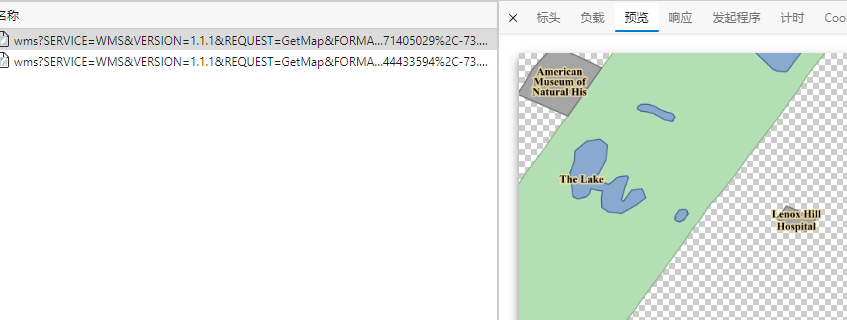
- WMS :网络地图服务,是一种 OGC 定义的请求网络的方式,可以请求任何地方。客户端可以 以任何的方式的来切割地图。(简单来说,就是传入地图的范围,在 服务器端渲染好一张图片 传回给客户端) WMS在服务器侧渲染,每次请求只传递一张图片
- WMS 的 请求方式,需要用户传入一个 范围,请求需要的图片,简单来说,就是一张地图只有一张图片(如果请求的范围和实际边框不一样,会发生图片的拉伸)
- WMS 的优点在于,可以进行渲染时,修改样式 通过 STL 文件,就可以在请求的时候动态修改样式
- WMS 可以修改坐标系(也就是可以根据传递的参数,进行动态 投影)
- 一般的参数:
地图范围、图层、样式列表、地图投影
1
2
3
4
5
6
7
8
https://gis.beacons-npa.gov.uk/geoserver/wms?
service=wms
&REQUEST=GetMap
&layers=inspire:tree_preservation_orders_polygon
&SRS=EPSG:27700
&bbox=323709,218795,324709,219795
&WIDTH=1000&HEIGHT=1000&FORMAT=image/png
- WMTS:瓦片网络地图服务,同样是OCG 定义的 网络地图的请求格式。但是区别在于,WMTS 请求的数据是 单张图片,是在服务器侧,预渲染好了的,并且可以缓存到客户端。很大程度上可以减少带宽的消耗。切片的地图在滑动的过程中,更加的方便
- WMST 切片时,坐标系是以左下角为原点的,也就说,和 XYZ 的坐标系有区别
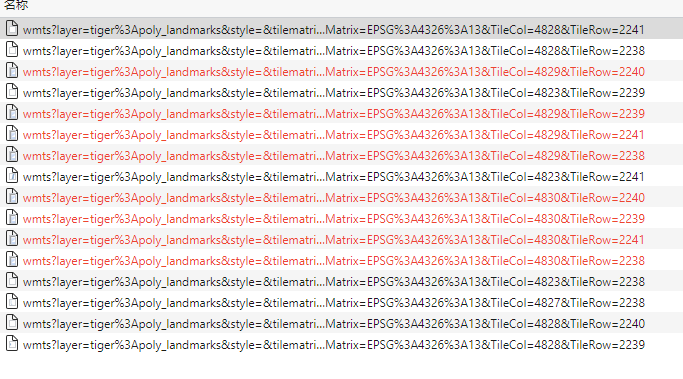
- WMTS 请求的是一张一张的图片,不需要传入 Box范围,只需要传入 index 即可
TileCol:100: 请求的瓦片的列数据TileRow:100:请求的瓦片的行数TileMatrix:4326:12:瓦片的坐标系和 缩放等级- WMTS 不能修改 ESPG 参数,因为 WMTS 图层是在服务器端完全切割好了的,一般图片大小为 256 或 512 pixel
- 延伸方向:WMTS 的切片坐标系,以左下角为原点,东经180°,南纬 85.05°,向东为 X 轴延伸方向,向上为 Y 轴延伸方向
![pic]()
![WMS地图]()
TMS 和 XYZ
TMS 是 OSGeo 提出的一种瓦片地图的服务方法, OGC提出的 WMS不支持切片服务,因此出现了一个非官方的协议WMS-C,然后 OSGeo 又提出了一种更加简单的 切片服务器 TMS( Tile Map Service) ,随后OGC 再 从 WMS的基础上,衍生出了切片网络地图服务,其支持的功能比 TMS 更多,同时也更加的复杂。
TMS
TMS is a protocol created by OSGeo that allows tiles to be requested using integer indices. It also provides metadata for discovery and configuration. It can be implemented as a set of tile images and metadata files sitting in a static file system. Y axis goes up from the bottom.
TMS 使用 整数进行索引,可以通过静态文件系统,提供一系列的 图片的源信息实现,Y轴是从下网上的(XYZ 的 Y轴是从上往下的)
TMS的请求方式,采用 类 REST 的接口,从根资源(root resource)描述所有的图层资源,然后是图层资源 描述所有可获得的 scale,最后每个scale描述,包含的 tile 。TMS 的 每个资源都包含了,其他资源的链接 ,比如说 root-> TileMapService->TileMap Resource 等
- 资源文件的命名方式为 X为文件夹名称, Y为 资源的名称。
1
2
3
4
5
6
7
8
9
10
11
12
13
14
15
16
17
18
19
20
21
22
23
24
25
26
27
28
29
30
31
32
33
34
35
36
37
38
39
40
41
42
43
44
45
46
47
48
49
50
51
52
53
54
http://tms.osgeo.org/
<?xml version="1.0" encoding="UTF-8" ?>
 <Services>
   <TileMapService title="Example Tile Map Service" version="1.0.0" href="http://tms.osgeo.org/1.0.0/" />
 </Services>
 http://www.osgeo.org/services/root.xml
 <?xml version="1.0" ?>
 <Services>
   <TileMapService title="Example Static Tile Map Service" version="1.0.0" href="http://www.osgeo.org/services/tilemapservice.xml" />
 </Services>
------------------------------------------------------------------------
http://www.osgeo.org/services/tilemapservice.xml
<?xml version="1.0" encoding="UTF-8" ?>
 <TileMapService version="1.0.0" services="http://www.osgeo.org/services/root.xml">
   <Title>Example Static Tile Map Service</Title>
   <TileMaps>
     <TileMap
       title="Vancouver Island Base Map"
       srs="EPSG:26910"
       profile="none"
       href="http://www.osgeo.org/services/basemap.xml" />
   </TileMaps>
 </TileMapService>
------------------------------------------------------------------------
http://www.osgeo.org/services/basemap.xml
 <?xml version="1.0" encoding="UTF-8" ?>
  <TileMap version="1.0.0" tilemapservice="http://www.osgeo.org/services/tilemapservice.xml">
   <Title>Vancouver Island Base Map</Title>
   <Abstract>A map of the Vancouver Island built from British Columbia planimetric mapping
   data and digital elevation hill shading.</Abstract>
 | <KeywordList></KeywordList>
 | <Metadata type="TC211" mime-type="text/xml" href="http://www.org" />
 | <Attribution>
 |   <Title>Goverment of British Columbia</Title>
 |   <Logo width="10" height="10" href="http://www.gov.bc.ca/logo.gif" mime-type="image/gif" />
 | </Attribution>
 | <WebMapContext href="http://openmaps.gov.bc.ca" />
   <SRS>EPSG:26910</SRS>
 | <Face>0</Face>
   <BoundingBox minx="500000" miny="4800000" maxx="700000" maxy="5500000" />
   <Origin x="500000" y="4800000" />
   <TileFormat width="256" height="256" mime-type="image/png" extension="png" />
   <TileSets profile="none">
     <TileSet href="http://www.osgeo.org/services/basemap/L1" units-per-pixel="6400" order="0" />
     <TileSet href="http://www.osgeo.org/services/basemap/L2" units-per-pixel="1600" order="1" />
     <TileSet href="http://www.osgeo.org/services/basemap/L3" units-per-pixel="400" order="2" />
     <TileSet href="http://www.osgeo.org/services/basemap/L4" units-per-pixel="100" order="3" />
     <TileSet href="http://www.osgeo.org/services/basemap/L5" units-per-pixel="25" order="4" />
   </TileSets>
 </TileMap>
---------------------------------------------------------------------------
The tile at the origin of the tile set in the first zoom level of basemap.
http://www.osgeo.org/services/basemap/L1/0/0.png
*****************/L1/X/Y.png

XYZ
XYZ: Adds the following standards to WMTS standards - An X and Y numbering scheme; PNG images for tiles; Images are served through a REST API, with a URL like http://…/Z/X/Y.png, where Z is the zoom level, and X and Y identify the tile. 添加了一些标准信息到 WMTS,添加了 X,Y 数字信息,PNG图片格式。REST API 接口的请求方式,以 Z 为缩放级别。(简单而言,是各种瓦片地图的一个总称,没有一个特别标准的定义方式)

如何定义一个 瓦片地图
瓦片地图需要一系列的标准
- size of tile :瓦片地图的大小
- zoom level:缩放级别
- projection:投影方式
- individual:定义单张图片的具体的请求方式
- method:请求的方式
大多数的瓦片地图,遵守谷歌地图的标准
- Tiles are 256x256 pixels:瓦片大小为 256 * 256
- At the outer most zoom level, 0, the entire world can be rendered in a single map tile.
- 最大层级为 0,整张地图会被渲染为单张图片
- Each zoom level doubles in both dimensions, so a single tile is replaced by 4 tiles when zooming in. This means that about 22 zoom levels are sufficient for most practical purposes.
- 每个缩放等级,从两个方向进行拆分,单个瓦片再下一层级,有 4 张瓦片,22 层级多大多数的需求都足够(22层级,分辨率在 10米左右)
- The Web Mercator projection is used, with latitude limits of around 85 degrees.
- 一般使用固定Web 墨卡托投影,并且纬度限制到了 85° ,85°以上的地图是没有的
With the recent move towards vector tile based mapping, there has been an increase in different standards. Many people are using the Protocol Buffers (PB files) which is an open standard created by Mapbox. However, ESRI have also created a slightly different vector tile standard, and some are based solely on GeoJson formats. It will be interesting therefore, to see if the OGC try to standardize vector tiles going forward. Looking at the web currently the Mapbox standard is certainly popular. 目前出现的大量的矢量瓦片地图,又有了很多的不同的标准,很多人选择使用 PB文件(Protocol Buffers),由 MapBox 定义的开源的 文件。
OSM的瓦片地图标准,一般称为 Slippy Map Tilenames,或者是 XYZ,并且在google的基础上,添加了一些其他的标准
- 添加了 X Y 规范
- 添加了 PNG 地图格式
图片保存在Web 服务器内,并且请求方式为
http://.../Z/X/Y.png,Z 为缩放级别,X,Y 标记图片的位置、 图片命名规则- Google 和 OSM定义, (0 to $2^{zoom-1}$, 0 to $2^{zoom-1}$) for the range (-180, +85.0511) - (+180, -85.0511),简单来说,就是左上角为原点
- TMS 服务, (0 to $2^{zoom-1}$, 0 to $2^{zoom-1}$) for the range (+180, -85.0511) -(-180, +85.0511) ,简单来说就是 OSM 的 Y轴反向了
- 微软使用的 四叉树索引(目前好像也改了)
Vector Tile 矢量瓦片服务
矢量瓦片已经成为一种新的地图服务趋势。 传统的 地图服务,基于 栅格瓦片技术,每一张图片有固定的范围和面积。
矢量瓦片描述
矢量瓦片,也是被拆分为 方格的瓦片。
But instead of raster images, there are pre-generated vector data that are present on the requested area 相比于栅格图层,会有预生成的 矢量会发送给客户端,超过范围的矢量被切割掉。
矢量瓦片 在客户端渲染,地图样式定义了 矢量瓦片。 Vector tiles are transferred over the web in the form of packed geographic data in vector format split into squared tiles.(矢量瓦片也就是将矢量图层切割为方块瓦片)